
You're connected to a PC, it's sitting at the lock screen, and it wants Ctrl+Alt+Del. You press it, and your own computer jumps to its security screen instead. That's not a bug in anything. Windows keeps that one combination for itself, so the computer in front of you always takes it first.
The fix is to send it from the session, not from your keyboard.
Send it from the website
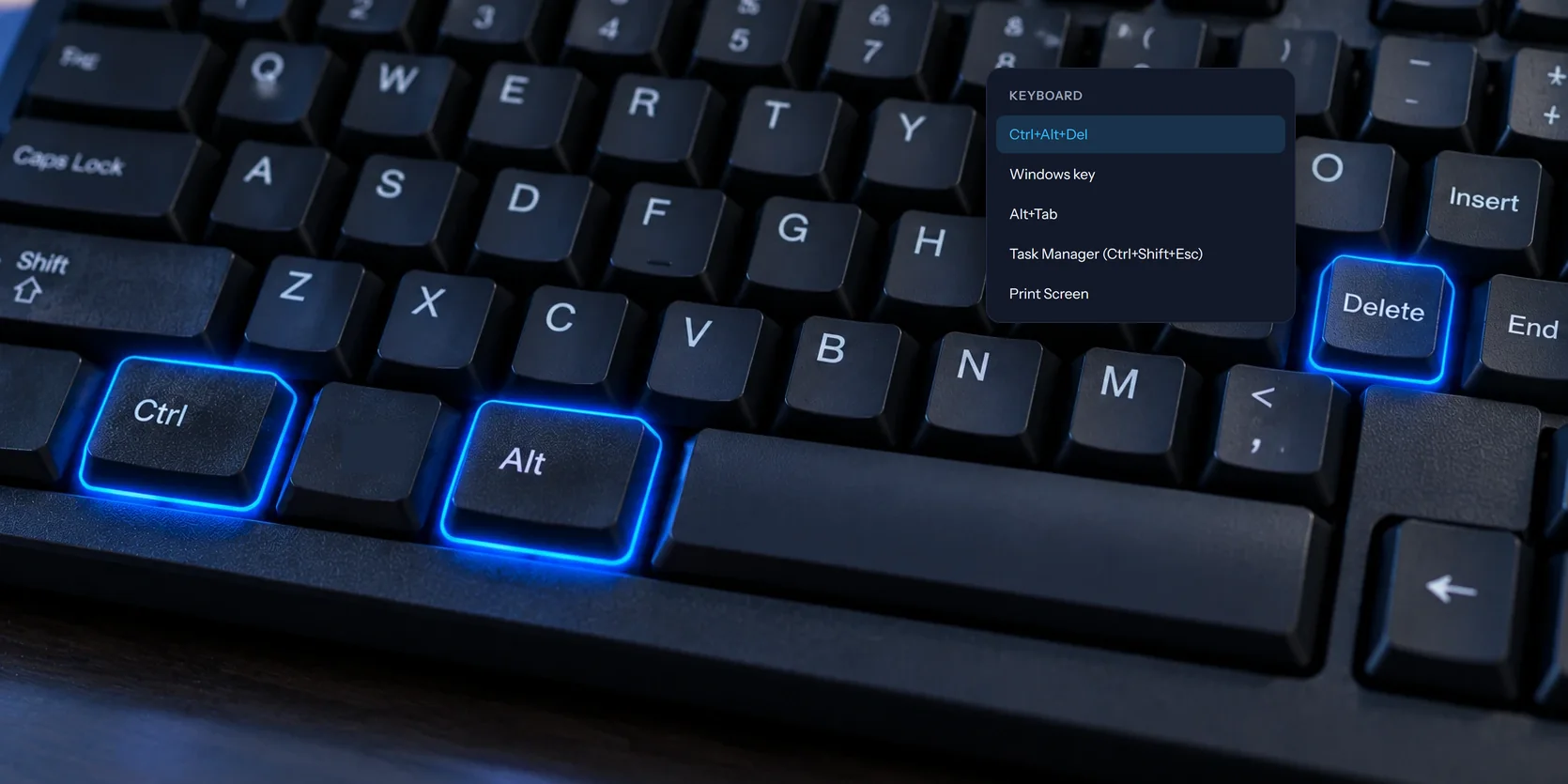
- In the session's toolbar, open Keyboard.
- Choose Ctrl+Alt+Del.
The remote PC shows its security screen, the same one you'd get at the desk. From there you can sign in, lock the PC, switch users, sign out, change the password, or open Task Manager.
Send it from the phone or tablet app
- Tap More in the toolbar at the bottom.
- Tap Ctrl+Alt+Del.
Why it might not be in the menu
Ctrl+Alt+Del only shows when the PC can actually receive it. If it's missing, one of these is usually why:
- The host isn't running as a service. Windows only accepts Ctrl+Alt+Del from a program that runs as a service. The View My Desktop installer sets that up, so installing the host with the installer fixes it. It asks for an administrator's approval, since it adds a service.
- You're only watching, or you're a guest. If the computer was shared with you to watch, or you opened a guest link, the Keyboard menu doesn't appear.
- It's a Mac. Macs don't have Ctrl+Alt+Del. More on that below.
Just need Task Manager?
You don't need the security screen for that. In the Keyboard menu, choose Task Manager (Ctrl+Shift+Esc) and it opens straight away. In the phone app, it's Task Manager under More.
The same menu has a few other keys your own computer tends to grab first: Windows key, Alt+Tab, and Print Screen.
If you're in Chrome or Edge, there's another way for some of them. Choose Full screen in the toolbar, and the browser passes the Windows key and Alt+Tab straight through to the remote PC. Ctrl+Alt+Del still has to go through the menu, though. No browser can catch it.
On a Mac
A Mac has no Ctrl+Alt+Del, and nothing is waiting for one. If you were reaching for it to close a stuck app, use Force Quit on the Mac instead, from the Apple menu in the top left corner. In the phone app, More also has Force Quit (Cmd+Option+Esc).
After you're done
When the last person in control disconnects, the PC locks itself, so nobody walking past finds a signed-in desktop. That's also why you'll often meet the lock screen when you connect, and why this menu item is the first thing you'll use. If you'd rather the PC didn't lock, turn off Lock this computer when a session ends in the host window on the PC.
Questions people ask
Does Ctrl+Alt+End work, like in Microsoft Remote Desktop?
No. That's a shortcut from Microsoft's own app. In View My Desktop, use Ctrl+Alt+Del in the Keyboard menu.
Can I sign in to the PC after it restarts?
Yes. With the host running as a service, the PC comes back online at its sign-in screen, and you can send Ctrl+Alt+Del and sign in from wherever you are. Our guide to restarting a remote computer goes through it.