

Remote desktop for every device

Reach your PC or Mac from your phone, a tablet, or any browser.

Install View My Desktop on the computer you want to reach. Then sign in anywhere else and use it like you're sitting in front of it, with its sound, your files, and copy and paste.

Works with Windows 10 and 11, and macOS 13 and later.
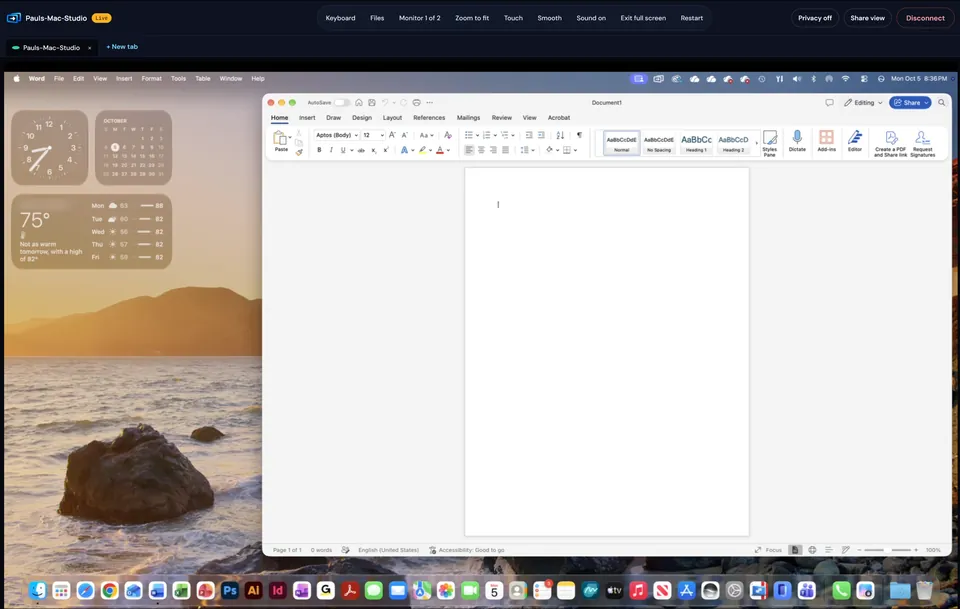
A live session with a Mac in a web browser, with Word open on the Mac's desktop
DirectYour screen goes straight to you, never through our servers.
EncryptedEvery session, with the standards browsers use for video calls.
Two-stepA code from an authenticator app as well as your password.
Any devicePhone, tablet, or browser, all on one plan.
Someone working on a laptop at home

For your own computers

Reach your home PC from work, or your work Mac from the couch. One plan covers every device you connect from.

See plans for one person
A small office, one person helping a coworker at their desk

For teams and IT

Decide who reaches which computers and what they can do there, with a record of every session.

See what teams get

What every paid plan gives you

The things people use every day, on every computer you add.

See every feature Hands on a laptop keyboard beside a second monitor

One plan, every device

Connect from an iPhone, iPad, Android phone, another computer, or just a browser. None of them costs extra.

A picture that keeps up

It adjusts as your connection changes, so it stays smooth on hotel Wi-Fi. You hear the computer too, in up to 4K on every plan.

Files and printing

Drag files onto the screen to send them. Print from a PC or Mac to the printer next to you.

Privacy screen

Blank the computer's monitor and block its keyboard while you work, so nobody nearby sees what you're doing.

Restart and wake

Restart a computer and you're reconnected when it's back. Wake one that's asleep from another computer on its network.

Share a screen, or help someone

Send a link so someone can watch your screen, or helping anyone's Windows PC or Mac with a one-time code. The person there says yes first, every time.

All your computers in one list

Sign in anywhere and they're there, with a recent picture of each screen and whether it's ready.
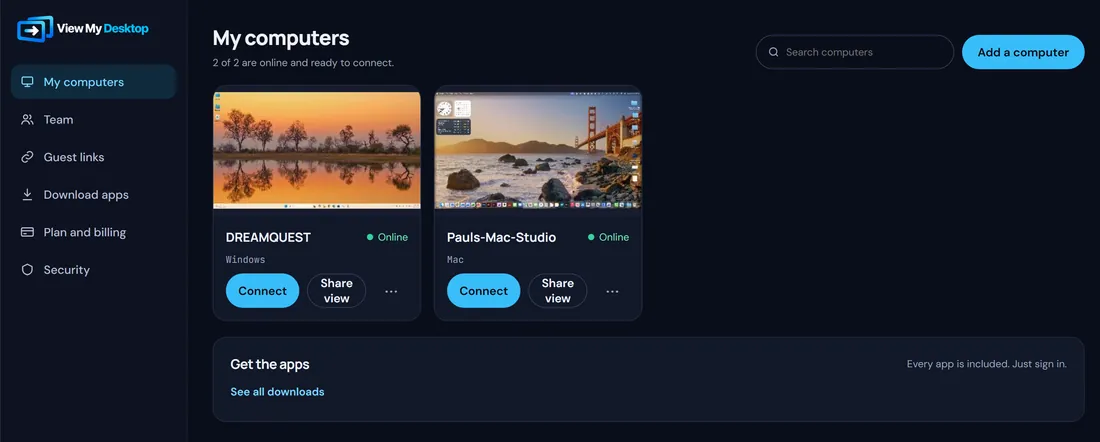
My computers, with a recent picture of each computer's screen and whether it's online
Green means readyAmber means someone is connected to it right now.
Wake one that's asleepAnother computer on the same network sends the wake-up signal.
Open several at onceEach computer gets its own tab, one click apart.
Someone on a couch looking at their phone

Your whole desktop, on your phone

The free app for iPhone, iPad, and Android is made for touch, so a big screen still works on a small one.


TouchTap, drag, and scroll like the computer had a touchscreen.
TrackpadMove a pointer the way you would on a laptop.
KeyboardA full keyboard with Ctrl, Alt, the Windows key, and arrows.
Download on the App Store Get it on Google Play

Set up in about two minutes

  1. Install it on your computer

    Download View My Desktop on the PC or Mac you want to reach. It shows a short code.

  2. Add it to your account

    Sign in on any device, type that code, and choose an access code for the computer.

  3. Connect from anywhere

    Pick the computer from your list and its screen opens right where you are.
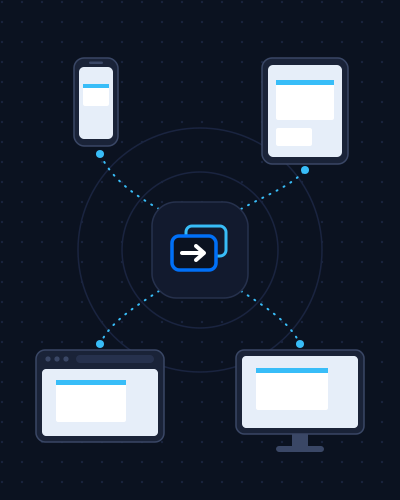
One View My Desktop plan reaching a phone, a tablet, a web browser, and a computer
Why we built it

We wanted one plan for every device we own.

Getting to our own computers from a phone, a tablet, and a laptop meant paying for each app separately, and the picture still stuttered on a hotel connection. So we built the tool we wanted: one plan that covers everything you connect from, a picture that adjusts as your connection changes, and sessions that go straight to your computer instead of through our servers.

Pick a plan and try it free

Every plan is free for 14 days. Cancel before it ends and you pay nothing. After that, pay monthly or yearly.

Personal

For your own computers
$5.75 a month
Billed $69 once a year. Start free trial
  • Up to 3 computers
  • Every device and any browser
  • Files, printing, and sound
  • Privacy screen, restart, and wake
  • Picture up to 4K

Team

For businesses that need single sign-on
$12 per person a month
Billed $144 per person once a year. 2 people or more. Start free trial
  • 10 computers for each person
  • Everything in Pro
  • Single sign-on with SAML
  • Activity log you can download
  • Recording to your own storage
Compare every feature

Try it on your own computer today

Install it, sign in on your phone, and you're looking at your desktop a few minutes from now.